


The Complete Guide to ChatGPT (2026): How to Use It, Best Features, Prompts & More


If you've used ChatGPT a handful of times — asked it a question, gotten an answer, moved on — you've seen maybe a third of what it actually does. That's not a knock on you; it's just how most people start. ChatGPT rewards a bit of orientation, and once you understand how it actually works, what its current plans include, and how to talk to it more effectively, it becomes a genuinely different tool than the one you tried a few months ago.
This guide is built to get you there. Whether you've never opened ChatGPT before or you use it daily but suspect you're missing things, you'll find something useful here — how the plans actually differ in 2026, which features are worth your attention, how to write prompts that get you better answers on the first try, and an honest look at where ChatGPT still falls short.
One note before we start: OpenAI updates ChatGPT's plans, model names, and feature set often — sometimes more than once a quarter. Everything here reflects the most current information available as of mid-2026, and where a detail is likely to shift soon, that's flagged rather than stated as permanent.
What Is ChatGPT?

ChatGPT is a conversational AI tool built by OpenAI. You type a message — a question, an instruction, a piece of text you want help with — and it responds in plain language, in a back-and-forth conversation rather than a one-shot search result.
Under the hood, ChatGPT runs on what's called a large language model, or LLM. In plain terms, this is a system that was trained on an enormous amount of text and learned the statistical patterns of how language works — which words and ideas tend to follow which others, how arguments are typically structured, how a recipe differs from a legal contract in tone and format. When you send a prompt, the model isn't looking up a stored answer; it's generating a response, word by word, based on those learned patterns and the specific context you've given it.
It's worth separating two things people often conflate: ChatGPT the product, and the underlying AI model that powers it. GPT is the model — OpenAI's family of AI systems, which has gone through several major versions and countless smaller updates. ChatGPT is the interface: the chat window, the account system, the file uploads, the voice mode, all wrapped around whichever model is currently running underneath.
This matters practically because OpenAI regularly swaps in improved models without changing the ChatGPT product name — so "ChatGPT" in 2026 is meaningfully more capable than "ChatGPT" a year or two earlier, even though the name on the box hasn't changed.
How to Get Started With ChatGPT

Getting started takes about two minutes. Go to chatgpt.com (or download the ChatGPT app on iOS or Android), and you'll be prompted to create a free account using an email address, or to sign in with an existing Google or Apple account. No credit card is required for the free tier.
Once you're in, you'll see a simple text box at the bottom of the screen. This is where everything happens. Type a message and press enter, and ChatGPT responds in the same window. That response becomes part of the conversation — you can immediately follow up, ask it to adjust something, or push back on part of the answer, and ChatGPT will take the entire conversation into account, not just your latest message.
This conversational follow-up is arguably ChatGPT's single biggest advantage over a traditional search engine. A search engine gives you a static list of links regardless of what you searched five minutes ago. ChatGPT remembers the thread of your current conversation, which means you can refine, correct, and build on its answers instead of starting over every time.
A simple first prompt to try:
I'm trying to write a short bio for my LinkedIn profile. I'm a freelance graphic designer with 5 years of experience, mostly working with small businesses on branding and packaging design. Can you draft a two- to three-sentence bio that sounds professional but not stiff?If the result is close but not quite right, just say so: "Make it a bit more casual" or "Mention that I specialize in food and beverage brands." Each follow-up refines the same conversation rather than forcing you to start from scratch — and when you're ready for something unrelated, starting a new conversation (using the "new chat" button) keeps that topic from cluttering your current thread.
Free vs. Paid ChatGPT Plans

OpenAI's pricing has gotten more complicated over the past year, and it's worth breaking down clearly, because the differences matter more than most people assume.
As of mid-2026, ChatGPT is available on six tiers: Free, Go, Plus, Pro, Business, and Enterprise. The last two are aimed at organizations rather than individuals, so we'll focus mainly on the first four.
Free gives you access to a capable model with meaningful daily limits on messages, file uploads, and image generation. In the US, free-tier usage now includes ads. It's a reasonable way to get a feel for ChatGPT, but heavier users will hit the caps regularly.
Go, priced around $8/month, is a budget tier that raises the message and upload limits considerably over Free, though it still runs a lighter model than Plus and doesn't include the more advanced features like Deep Research or Agent Mode.
Plus, at $20/month, is where most individual users who rely on ChatGPT regularly should land. It unlocks OpenAI's full current flagship model, removes ads, and adds a meaningful set of advanced tools: a limited monthly allotment of Deep Research reports (in-depth, multi-source research tasks), Advanced Voice Mode, image generation, Agent Mode (which lets ChatGPT take multi-step actions on your behalf), Canvas (a side-by-side editing workspace for longer writing or code), and the ability to build and use Custom GPTs.
Pro runs a usage-based structure — currently priced at either $100 or $200 per month depending on how much usage headroom you need — and is aimed squarely at power users running heavy, repeated tasks: multiple Deep Research reports a day, extensive coding work through Codex, or high-volume Agent Mode use. Most people don't need this tier, and if you're not consistently hitting Plus's limits, you almost certainly don't need it either.
Plan | Price | Best For |
Free | $0/month | Trying ChatGPT, occasional light use |
Go | ~$8/month | Regular casual use without advanced features |
Plus | ~$20/month | Most individual professionals and regular users |
Pro | ~$100–$200/month | Heavy daily users hitting Plus limits consistently |
Business | ~$20–25/user/month | Small teams needing admin controls |
Enterprise | Custom pricing | Larger organizations with compliance needs |
If you're a casual user — a few questions a week, the occasional email draft — Free or Go will likely cover you fine. If ChatGPT has become something you reach for daily, for work, writing, or research, Plus is very likely worth the $20. It's less an incremental upgrade and more a genuinely different tier of usefulness, mainly because of what it unlocks (Deep Research and Agent Mode in particular) rather than just raw message volume.
How to Write Better ChatGPT Prompts

The single biggest factor in how useful ChatGPT feels to you isn't the model version — it's how you ask. A vague prompt gets a generic answer. A specific one gets something you can actually use.
A few principles make a consistent difference:
Give context. ChatGPT doesn't know your job, your audience, or your goals unless you tell it. "Write an email" produces something generic; "write an email to a client explaining a two-day project delay, keeping the tone apologetic but confident" gives ChatGPT something real to work with.
State the outcome clearly. Say what you actually want, not just the topic. "Help me with my resume" is vague. "Rewrite the bullet points under my most recent job to emphasize leadership and measurable results" is not.
Add constraints. Length, tone, format — these all shape the result. Without them, ChatGPT will guess, and it won't always guess right.
Give examples when you can. If you have a sample of writing in the style you want, paste a short excerpt and ask ChatGPT to match that tone. This is one of the most underused techniques, and it works remarkably well.
Iterate rather than expecting perfection on the first try. Treat the first response as a draft, not a verdict. Tell ChatGPT specifically what to change.
Here's what this looks like in practice.
Weak prompt:
"Write a marketing email."
Improved prompt:
"Write a marketing email announcing a 20% off sale for our online candle shop, running this weekend only. Keep it under 150 words, friendly and warm in tone, with a clear call to action at the end."
The second version gets you something close to usable on the first try. From there, a follow-up like "make the subject line punchier" or "add a line about free shipping over $50" refines the same draft instead of starting over — which is the real advantage of a conversational tool over a one-shot generator.
Best Ways to Use ChatGPT

ChatGPT is genuinely strong at some things and mediocre at others. Here's an honest breakdown by category, with a prompt example for each.
Writing and editing

This is arguably ChatGPT's strongest overall category — drafting, restructuring, tightening, and adjusting tone.
Rewrite this paragraph to be more concise without losing any of the key information: [paste paragraph]Brainstorming

ChatGPT is genuinely useful for generating a batch of options to react to, especially when you're stuck.
Give me 10 different angles for a blog post about reducing food waste at home, ranging from practical tips to more unusual perspectives.Work and productivity

Meeting agendas, task prioritization, project outlines — anything involving structuring information benefits from ChatGPT's ability to organize.
I have these 8 tasks due this week: [list them]. Help me prioritize them into a realistic daily schedule, assuming a normal 9-to-5 workday.Learning and explaining difficult subjects

This is where ChatGPT genuinely shines for a beginner — patiently breaking down a concept, offering analogies, and adjusting the explanation based on what specifically confused you.
Explain how compound interest works as if I've never taken a finance class. Use a simple real-world example.Research

ChatGPT with web search enabled can pull in current information rather than relying solely on its training data — useful for anything time-sensitive.
What are the current best practices for setting up a small business LLC in [your state]? Include any recent regulatory changes.Worth noting: for research that specifically requires clear source citations you can verify, a tool built around that (like Perplexity) may give you a cleaner trail back to the original sources.
Coding
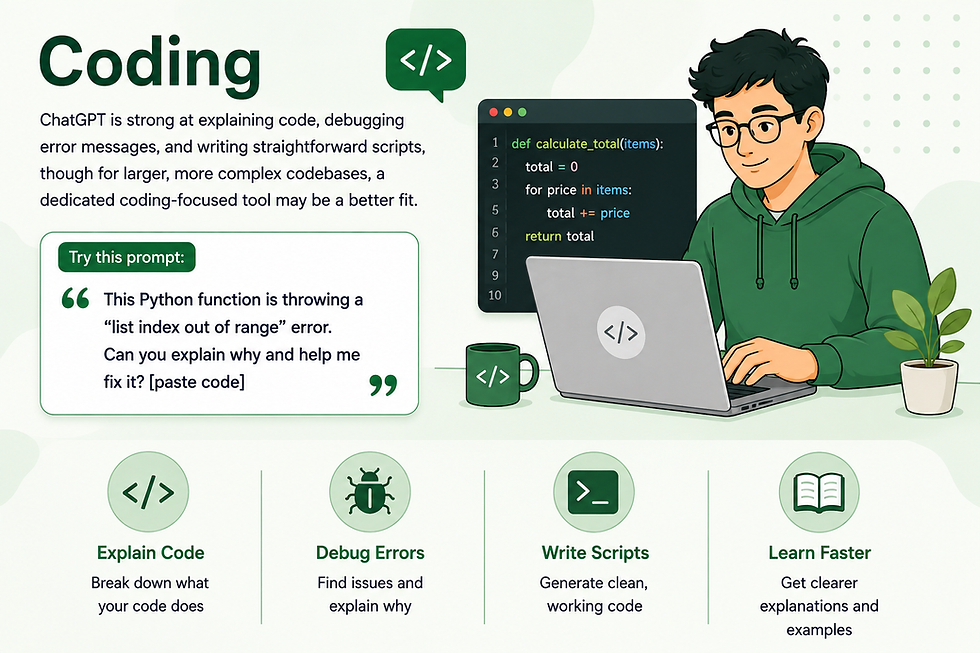
ChatGPT is strong at explaining code, debugging error messages, and writing straightforward scripts, though for larger, more complex codebases, a dedicated coding-focused tool may be a better fit.
This Python function is throwing a "list index out of range" error. Can you explain why and help me fix it? [paste code]Data analysis

Upload a spreadsheet and ask ChatGPT to summarize trends, calculate specific figures, or build a chart — genuinely useful for a quick, informal analysis.
Here's a spreadsheet of my monthly expenses for the year. Can you identify which categories increased the most and create a simple summary?Planning

Trip itineraries, event planning, project roadmaps — ChatGPT is good at turning a rough goal into a structured plan.
Help me plan a 4-day trip to Lisbon for two people who like food, history, and walking rather than nightlife. Include a rough daily structure.Summarizing information

Paste in a long article, report, or document and get the key points quickly, without reading the whole thing.
Summarize the key points of this article in 4-5 bullet points: [paste article text]Working with documents
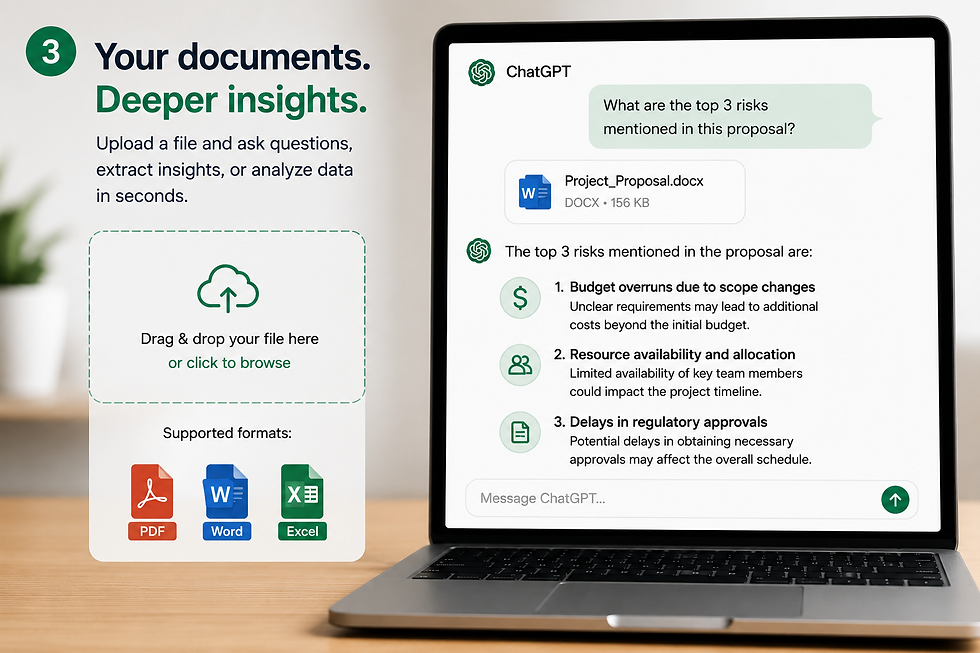
Upload a PDF, Word document, or spreadsheet directly and ask ChatGPT questions about it — more on this in the next section.
Images and visual tasks

ChatGPT can both generate images from a text description and analyze images you upload — describing what's in a photo, reading text from a screenshot, or explaining a diagram.
Generate an image of a cozy reading nook with warm lighting, a bookshelf, and a large window, in a soft watercolor illustration style.Everyday personal tasks
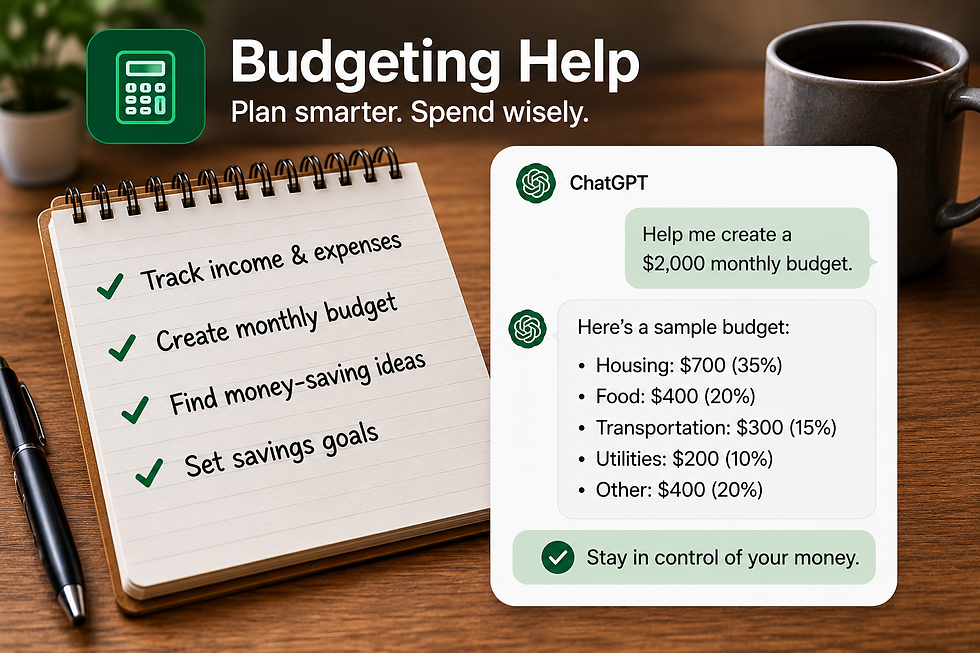
Meal planning, gift ideas, budgeting help — ChatGPT handles small everyday decisions well, especially when you give it real constraints (budget, dietary needs, time available).
Suggest a 5-day dinner plan using mostly chicken, rice, and seasonal vegetables, with each meal takeable under 30 minutes to prepare.Not every category is an equal strength. ChatGPT is noticeably better at language-based tasks — writing, explaining, organizing — than at anything requiring precise, verified real-world data (exact statistics, current prices, legal specifics) without a web search backing it up. Know which kind of task you're handing it.
Using Files and Documents With ChatGPT

One of the more practical, less flashy upgrades to ChatGPT over the past couple of years is genuinely solid file handling. On paid plans especially, you can upload PDFs, Word documents, spreadsheets (Excel or CSV), and images directly into a conversation and ask ChatGPT questions about them.
Practical examples: upload a rental contract and ask ChatGPT to summarize the key terms and flag anything unusual. Upload a spreadsheet of sales data and ask for a summary of monthly trends. Upload a scanned receipt and ask ChatGPT to extract the total and date. Upload a screenshot of an error message and ask what it means.
There are real limits worth knowing. Very long documents may get partially summarized rather than read in full, depending on length and plan.
Paid plans currently allow a meaningfully higher number of file uploads within a given window than the free tier, and per-conversation file limits exist as well — if you're regularly working with long or numerous documents, this is one of the clearer reasons to consider Plus.
And as with everything else ChatGPT produces, treat extracted numbers or key terms as a starting point to verify against the original document for anything that actually matters — a misread figure in a contract summary is the kind of error you want to catch before it costs you something.
ChatGPT's Most Useful Features

Beyond the basic chat interface, ChatGPT has accumulated a genuinely useful set of features over the past couple of years. Here's what's currently worth knowing about.
Web search lets ChatGPT pull in current information from the internet rather than relying only on its training data, which matters enormously for anything time-sensitive — current events, recent product releases, today's weather.
Deep Research is a more thorough research mode, available with a monthly allotment on Plus and a larger one on Pro, that has ChatGPT investigate a topic across multiple sources and produce a structured report — genuinely useful for something like a competitive analysis or a detailed "get me up to speed" briefing, though it takes longer to run than a normal response.
Voice mode lets you speak to ChatGPT and hear a spoken response back, which is a meaningfully different experience than typing — useful for hands-free situations, or simply for people who think out loud better than they type.
Image generation creates original images from a text description, directly inside the chat.
Image understanding works the other direction — upload a photo, screenshot, or diagram, and ChatGPT can describe it, answer questions about it, or extract text from it.
Memory allows ChatGPT to retain relevant details across separate conversations rather than starting from zero every time — covered in more detail in the next section, since it deserves its own explanation.
Custom GPTs let you (or others) build a customized version of ChatGPT with specific instructions, uploaded reference material, and a narrower focus — useful for a recurring task you do often, like drafting content in a very specific format.
Agent Mode allows ChatGPT to take multi-step actions on your behalf within a session — navigating a website, filling out a form, pulling together information across several steps — rather than just responding with text. This is genuinely more powerful than a standard chat response, and also worth using thoughtfully, since it's taking action rather than just suggesting one.
Connected apps let ChatGPT interact with services you've explicitly linked, such as Google Drive or Gmail, so it can pull in or work with information from those accounts when you grant permission — useful, but worth understanding the access you're actually granting (more in the privacy section below).
Projects give you a way to group related conversations, files, and custom instructions together — useful if you're working on something ongoing, like a specific client or a long writing project, where you don't want to re-explain context every time you open a new chat.
Not every feature here matters to every user. If you're mainly using ChatGPT for quick writing help, most of this is irrelevant to you, and that's fine — the core chat experience remains the most-used feature by a wide margin for most people.
ChatGPT Memory and Personalization

Memory is one of the more genuinely useful — and genuinely misunderstood — features in ChatGPT, so it's worth explaining clearly.
As of 2026, ChatGPT's memory system has two parts. The first is saved memories: specific facts ChatGPT has explicitly chosen to remember from your conversations — that you're a vegetarian, that you're studying for the bar exam, that you prefer concise answers. These are visible and editable; you can view the full list in Settings and delete anything individually. The second is reference to chat history: a more implicit form of recall, where ChatGPT can draw on patterns from past conversations without a specific itemized list.
What memory doesn't mean is that ChatGPT is constantly "watching" everything you do or building some comprehensive profile beyond what you've actually discussed with it. It only draws on what came up in your conversations, and only if memory is turned on.
You have real control here.
Both saved memories and chat history reference can be toggled off independently in Settings, under Personalization. If you'd rather have a completely clean, memory-free interaction for a specific conversation — say, something sensitive you don't want influencing future responses — Temporary Chat mode bypasses memory entirely for that session.
On the privacy side, it's worth understanding that by default, ChatGPT may use your conversations (including what's stored in memory) to help train and improve its models, unless you've turned off the "Improve the model for everyone" setting in Data Controls. Turning that off also disables saving your chat history. Business and Enterprise accounts are generally excluded from training by default, but memory itself is a separate system from training — disabling one doesn't automatically disable the other, which is a distinction worth understanding if you're using ChatGPT for anything work-related involving confidential information.
Memory is genuinely useful for reducing repetitive context-setting — not having to re-explain your job, your writing style, or your ongoing projects every single conversation. It's less useful, and worth turning off, for conversations involving sensitive client information, medical details, or anything you specifically don't want influencing future sessions.
Best ChatGPT Prompts for Beginners

Here are prompts organized by common use case — each specific enough to demonstrate what a well-built prompt actually looks like.
Work

Draft a professional out-of-office reply for a one-week vacation, mentioning I'll respond to urgent matters only through my assistant, [name], at [email].Summarize this meeting transcript into a short recap with clear action items and who owns each one: [paste transcript]Writing

Improve the flow and clarity of this paragraph while keeping my original voice and meaning intact: [paste text]Give me three different subject line options for an email announcing a product delay to customers — one direct, one apologetic, one reassuring.Learning

Explain the difference between a Roth IRA and a traditional IRA in plain English, including who each one tends to make more sense for.I'm learning Spanish. Quiz me on 10 common past-tense verb conjugations, and explain any mistakes I make.Research

What are the current pros and cons of hybrid vs. fully remote work policies for a company under 50 employees, based on recent data?Planning

Help me build a simple monthly budget based on this income and these expenses, and suggest 2-3 realistic areas to cut back: [list numbers]Decision-making

I'm deciding between two job offers. Help me build a comparison framework covering salary, growth potential, work-life balance, and company stability, and I'll fill in the specifics.Productivity

Break this project into a step-by-step plan with rough time estimates for each phase: [describe project]Creative tasks

Write the opening paragraph of a short story about a lighthouse keeper who discovers something unexpected during a storm. Keep the tone atmospheric, not horror.Suggest 5 unique name ideas for a small-batch coffee roasting business, along with a one-line explanation of the vibe each name conveys.Notice the pattern across all of these: specific context, a clear ask, and often a constraint on length or format. That structure is worth internalizing more than any individual prompt on this list.
Common ChatGPT Mistakes

A handful of habits account for most of the frustration people report with ChatGPT — and nearly all of them are fixable.
Using vague prompts produces vague answers. If a response feels generic, the fix is usually adding more specific context, not switching tools.
Treating the first answer as final wastes the tool's biggest advantage — the conversation. Push back, ask for adjustments, and refine rather than accepting a mediocre first draft.
Assuming ChatGPT is always correct is the single most consequential mistake on this list, and it's covered in more depth in the next section. In short: verify anything that matters.
Failing to verify important information compounds the previous mistake. Treat factual claims — statistics, dates, legal or medical specifics — as something to check independently, especially for anything with real consequences if wrong.
Giving insufficient context leaves ChatGPT guessing at your actual situation. A sentence or two of background dramatically improves relevance.
Asking for an enormous task in a single poorly structured prompt ("build my entire business plan") tends to produce a shallow, generic result. Break large tasks into stages instead — outline first, then flesh out each section.
Publishing AI-generated writing without editing it is easy to spot from the outside — a certain flatness, an overuse of certain phrases, a lack of the small specific details that make writing feel human. Always edit before anything goes out under your name.
Sharing information you shouldn't share — client details, passwords, sensitive financial or medical information — deserves real caution. More on this in the privacy section.
Using ChatGPT for tasks where another tool is genuinely better — precise numerical work best suited to a spreadsheet, deep technical coding better handled by a dedicated IDE-integrated tool, research requiring rigorous, verifiable citations. ChatGPT is broadly capable, not universally the best tool for everything.
What ChatGPT Can't Do

An honest guide has to include this section clearly, without either sensationalizing it or glossing over it.
Hallucinations — ChatGPT can generate confident, specific-sounding information that is simply wrong: a fabricated statistic, a misattributed quote, a citation that doesn't actually exist. This isn't a rare glitch; it's an inherent characteristic of how these models generate text, and it happens more often with obscure or highly specific factual claims than with well-established, widely documented information.
Factual errors and outdated information — even with web search enabled, ChatGPT can occasionally miss context, misinterpret a source, or present outdated information as current, particularly on fast-moving topics.
Ambiguous requests — ChatGPT will often make a reasonable-sounding guess about what you meant rather than asking a clarifying question, which means an unclear prompt can quietly produce a confidently wrong answer instead of the pushback a human collaborator might give you.
Limits of web research — even with search enabled, ChatGPT isn't performing the kind of exhaustive, source-triangulated research a dedicated researcher would, and it doesn't always surface the most authoritative or recent source available.
Professional medical, legal, and financial decisions — ChatGPT can help you understand general concepts and prepare questions for a professional, but it isn't a substitute for licensed medical, legal, or financial advice, particularly for anything with real consequences.
Situations requiring human judgment — reading a room, handling a sensitive interpersonal conflict, making a values-based decision unique to your specific circumstances — these remain squarely human territory.
The practical takeaway: the more a piece of information matters — financially, legally, medically, or reputationally — the more it deserves independent verification before you act on it. ChatGPT is an excellent starting point and a poor final authority.
ChatGPT Privacy: What Should You Avoid Sharing?

There's a meaningful difference between using ChatGPT for ordinary tasks (drafting an email, brainstorming a blog post) and feeding it information that would matter if it were exposed or retained somewhere you didn't expect.
As a general practice, avoid pasting in full financial account numbers, passwords, medical records with identifying details, or confidential business information you wouldn't want stored on a third-party server — even though OpenAI has real privacy controls, and even with those controls, information you share is still being processed and, by default on Free and Plus, potentially used to help train future models unless you've opted out.
You do have meaningful controls here, and they're worth actually using rather than leaving on default. In Settings, under Data Controls, you can turn off "Improve the model for everyone" to stop your conversations from being used for training (this also disables saved chat history). Temporary Chat mode gives you a session that doesn't get saved to your history and doesn't draw on memory. And if you want to delete your data outright, OpenAI's documentation states that account deletion requests result in personal information being removed within 30 days, with some exceptions for legally required retention.
For business use involving client or customer information specifically, it's worth understanding that Business and Enterprise plans generally exclude your data from model training by default — a meaningfully different privacy posture than the individual Free or Plus tiers, and one reason many organizations require employees to use a business-tier account rather than a personal one for work-related conversations.
The practical rule of thumb: if you wouldn't be comfortable with a piece of information being stored on a company's server indefinitely, don't paste it into any AI chat tool, ChatGPT included, without first checking your specific plan's data handling settings.
ChatGPT vs. Claude vs. Gemini

All three are genuinely capable general-purpose AI assistants, and for a lot of everyday tasks, the differences won't matter much to you. But there are real, consistent tendencies worth knowing about.
ChatGPT tends to have the broadest and most mature feature set of the three — Deep Research, Agent Mode, Custom GPTs, image generation, and voice are all well-developed, and its ecosystem of connected apps and third-party integrations is the largest. It's a strong default choice if you want one tool that does a lot of different things reasonably well.
Claude, made by Anthropic, is often noted for producing more natural, less repetitive writing on longer-form content, and for handling long documents and nuanced instructions carefully. Many users specifically prefer it for writing-heavy work and document analysis.
Gemini, made by Google, integrates tightly with Google's own ecosystem — Gmail, Docs, Drive — which matters a lot if that's already where your work lives, and its free tier has generally been one of the more generous among the major players.
ChatGPT | Claude | Gemini | |
Strongest at | Broadest feature set, research, agents | Long-form writing, document analysis | Google Workspace integration |
Free tier | Yes, with usage limits | Yes, with usage limits | Yes, generally generous |
Starting paid price | ~$20/month | ~$20/month | Varies by plan |
Best for | All-purpose use, power features | Writing quality, careful analysis | Google-centric workflows |
None of these is objectively "the best" across the board — the right pick depends on what you're actually doing most often, and plenty of people reasonably use more than one for different tasks.
Is ChatGPT Worth Paying For?

It depends genuinely on how you use it, not just how much you like it.
Casual users — a few questions a week, the occasional writing help — are usually well served by Free or Go. There's little reason to pay $20/month for capability you're not close to maxing out.
Students are a mixed case. If you're mainly using ChatGPT for explanations and study help, Free often covers it. If you're relying on it heavily for research, longer writing projects, or regularly hitting usage caps, Plus becomes worth considering — though it's worth checking whether your school offers any discounted access first.
Professionals who use ChatGPT regularly for work — drafting, research, planning, meeting prep — are the clearest case for Plus. The time saved on a single good week of use often exceeds the subscription cost.
Content creators benefit from Plus specifically for the higher usage limits and features like image generation and Deep Research, both of which come up often in a content workflow.
Developers get real value from Plus or Pro depending on volume, particularly through Codex access for coding-assisted work — though dedicated coding tools may still be a better primary choice for serious software development.
Heavy AI users — people running Deep Research reports regularly, using Agent Mode extensively, or doing intensive daily coding work — are the group Pro is actually built for. If you're not consistently hitting Plus's limits, Pro is very likely more than you need.
The honest recommendation: start on Free, notice specifically where you're hitting limits or wishing you had a feature you don't, and upgrade to Plus once that friction becomes real rather than hypothetical. Don't pay for headroom you're not using yet.
Frequently Asked Questions

Is ChatGPT free? Yes, ChatGPT has a genuinely usable free tier, though it comes with daily limits on messages, file uploads, and image generation, and includes ads in some regions as of 2026.
Is ChatGPT accurate? Often, but not always. ChatGPT can produce confident, specific-sounding information that's incorrect — a phenomenon known as hallucination — so anything factually important should be independently verified, especially for medical, legal, or financial matters.
Can ChatGPT access the internet? Yes, with web search enabled, ChatGPT can pull in current information rather than relying solely on its training data, which matters for anything time-sensitive like current events or recent product details.
Can ChatGPT read PDFs? Yes, you can upload PDFs (along with Word documents, spreadsheets, and images) directly into a conversation and ask ChatGPT questions about the content, with some limits on file size and quantity depending on your plan.
Can ChatGPT analyze images? Yes, you can upload a photo, screenshot, or diagram, and ChatGPT can describe what's in it, answer questions about it, or extract text from it.
Can ChatGPT create images? Yes, ChatGPT can generate original images from a text description directly within the chat, available across both free and paid tiers with varying usage limits.
Can ChatGPT remember previous conversations? Yes, through its memory feature, ChatGPT can retain relevant details across separate conversations, though this can be turned off entirely, and individual saved memories can be viewed and deleted in Settings.
What is the best way to use ChatGPT? Treat it as an interactive collaborator you refine through conversation, not a search box expected to produce a perfect answer instantly. Give it clear context, state your desired outcome, and follow up to adjust the response rather than accepting the first draft.
Is it safe to put personal information into ChatGPT? Ordinary personal details are generally fine, but avoid sharing sensitive information like full financial account numbers, passwords, or confidential business details, particularly since conversations may be used for model training by default unless you've adjusted your Data Controls settings.
Is paying for ChatGPT worth it? For regular users relying on it for work, research, or substantial writing tasks, Plus at $20/month is usually worth it based on the added features and higher usage limits. For casual, occasional use, the free tier is often sufficient.
Conclusion

If there's one idea worth taking away from this guide, it's that ChatGPT works best as something you actively steer, not something you expect to read your mind on the first try. The people who get consistently good results aren't necessarily using a more advanced plan — they're giving clearer context, following up instead of settling, and treating the first response as a draft rather than a verdict.
Start with one of the prompts in this guide, adjust it to your actual situation, and see where the conversation goes from there. That back-and-forth is where ChatGPT genuinely earns its usefulness — far more than any single perfect prompt ever could.



Comments