


How to Write Better AI Prompts: A Beginner's Guide to Getting Better Results

How to Write Better AI Prompts: A Beginner's Guide to Getting Better Results
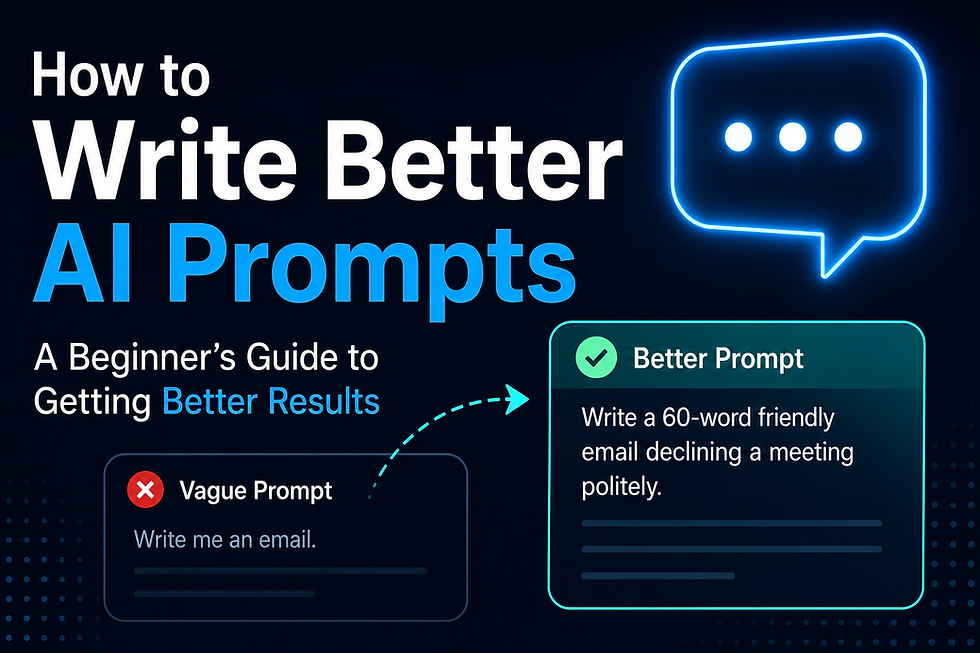
You type a question into ChatGPT. The answer comes back vague, generic, or just... not what you needed. So you close the tab and think, "I guess AI isn't that helpful after all."
Here's the truth: the tool probably isn't the problem. The prompt is.
AI tools like ChatGPT, Claude, Gemini, and Copilot are only as good as the instructions you give them. A vague question gets a vague answer. A clear, detailed prompt gets you something you can actually use. The good news is that writing a good prompt is a learnable skill, not a talent you're born with, and you can get noticeably better at it in about ten minutes of reading.
This guide will walk you through exactly how prompts work, the most common mistakes beginners make, and templates you can copy right now for real tasks like writing emails, planning trips, or studying for a test.
Table of Contents
What Is an AI Prompt?
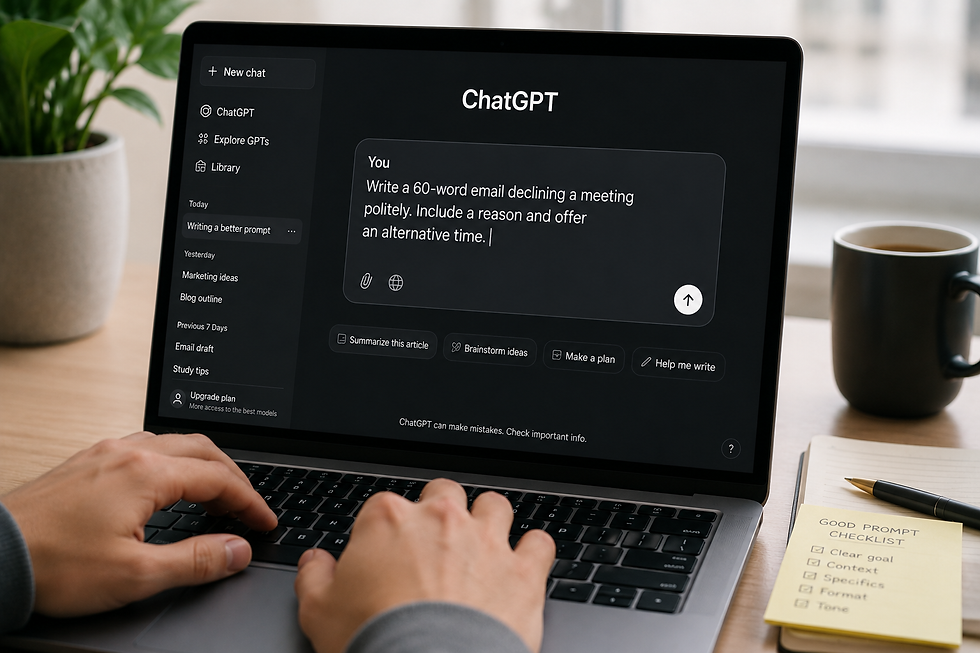
A prompt is just the message you type to an AI tool. That's it. There's no secret code or special syntax required — it's plain English, the same way you'd text a coworker or write a note to yourself.
The difference between a "prompt" and a normal question is that AI tools respond very literally to what you actually type, not what you meant to say. If you leave out important details, the AI has to guess, and it will guess in a generic, average way.
Here's a simple example:
Weak prompt: "Write an email."
Strong prompt: "Write a short, friendly email to my landlord asking if I can pay rent three days late this month due to a bank transfer delay. Keep it under 80 words."
Both are technically prompts. But only one gives the AI enough to work with. Think of a prompt less like a search engine query and more like an instruction you'd give to a new employee on their first day — the more context you give them, the less back-and-forth you'll need.
Why Prompt Quality Matters
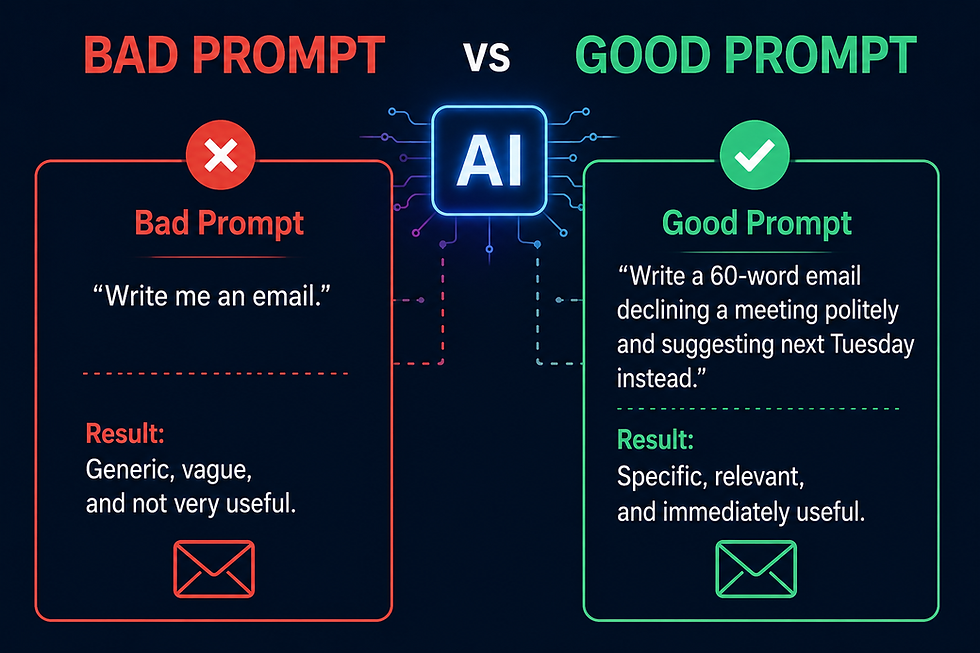
Better prompts don't just get you "nicer" answers. They save you time, because you spend less time editing, re-asking, and cleaning up what the AI gives you.
Let's look at the difference a better prompt makes on the same task.
Task: Writing a LinkedIn post about a promotion
Prompt Quality | What You'd Type | What You'd Likely Get |
Weak | "Write a LinkedIn post about my promotion" | A generic, overly formal post that sounds like everyone else's |
Strong | "Write a short, humble LinkedIn post announcing my promotion to Marketing Manager. Mention I'm grateful to my team, keep the tone warm but not overly formal, and end with a forward-looking sentence. Max 100 words." | A specific, natural-sounding post that actually reflects your voice |
The AI didn't get "smarter" between those two examples. You just gave it more to work with. That's the whole secret behind prompt writing — it's not about tricking the AI, it's about communicating clearly.
The Anatomy of a Great Prompt

Most strong prompts include some combination of these eight elements. You don't need all eight every time, but the more of them you include for a complex task, the better your result will be.
Goal

What do you actually want the AI to produce? Be specific about the outcome, not just the topic.
Weak: "Help with my resume"
Better: "Rewrite my resume's work experience section to sound more results-focused"
Context

Background information the AI needs to understand your situation. AI doesn't know anything about you unless you tell it.
Example: "I'm a first-time manager writing performance reviews for the first time."
Audience
Who will read or use this content? Tone and complexity should shift based on who's on the receiving end.
Example: "This email is going to a client I've never met, so keep it formal."
Tone

Should it sound casual, professional, funny, warm, direct? Naming the tone directly is far more reliable than hoping the AI guesses correctly.
Example: "Friendly but professional, like a helpful coworker, not a corporate memo."
Format

Do you want a list, a table, an email, bullet points, a script, a paragraph? Say so.
Example: "Format this as a bulleted list with bold headers."
Length
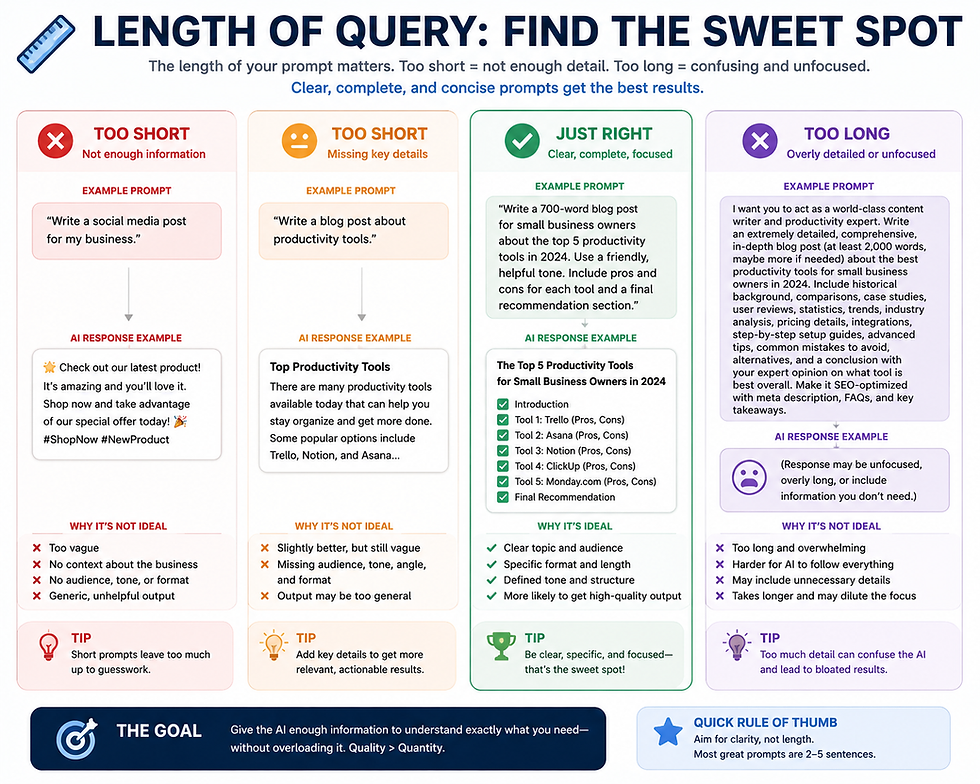
Vague length requests ("keep it short") get inconsistent results. Give a number.
Example: "Under 150 words" or "Exactly 5 bullet points."
Constraints

Anything the AI should avoid or must include.
Example: "Don't use any technical jargon" or "Must include the word 'flexible' somewhere."
Examples
If you have a sample of the style or format you want, include it. This is one of the single most powerful things you can do to improve AI output.
Example: "Here's an email I wrote before that has the tone I like: [paste example]. Write a new one in the same style for a different situation."
Before-and-after in action:
Before: "Write a product description for my candle business."
After: "Write a product description for a lavender-scented soy candle from my small handmade candle business. Audience is people shopping for self-care gifts. Tone should be warm and cozy, not overly salesy. Keep it to 3 short sentences, and mention it's hand-poured."
The "after" version gives the AI a goal, audience, tone, length, and a specific detail to include. That's the anatomy of a great prompt in action.
10 Common Prompting Mistakes Beginners Make
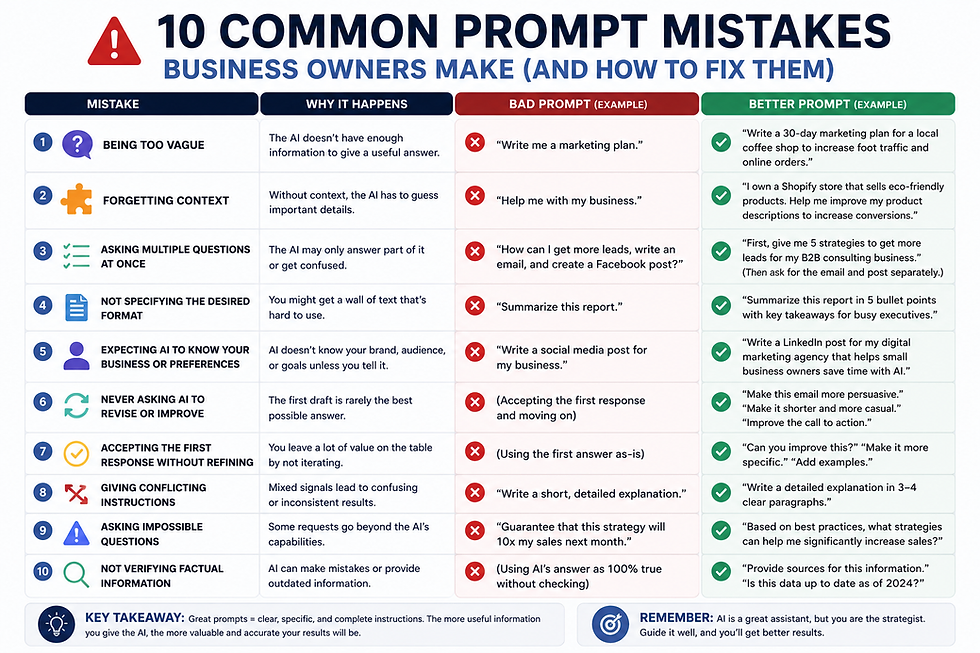
1. Being Too Vague
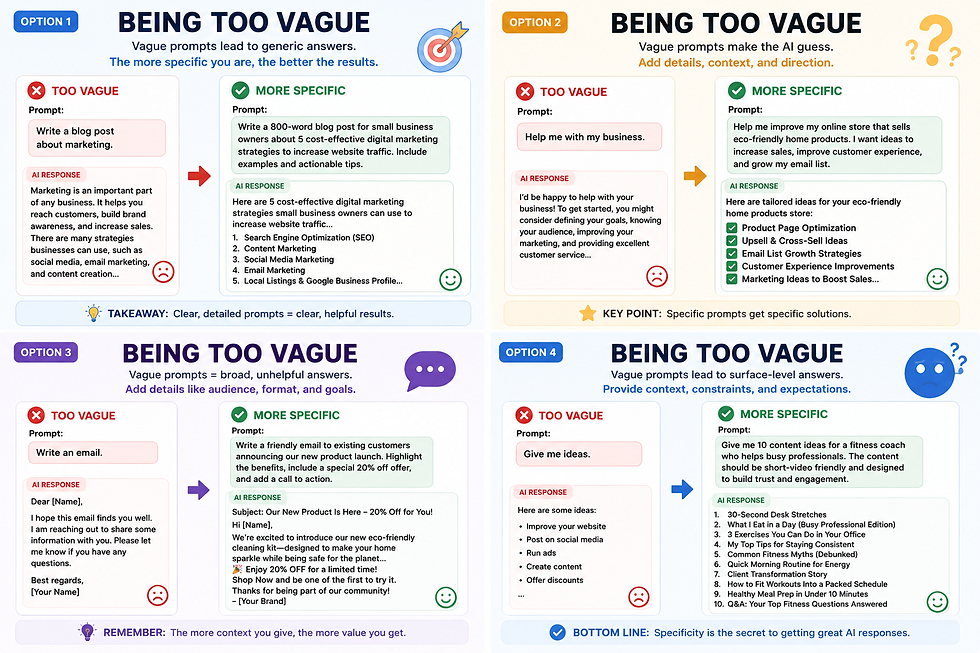
Why it happens: Most people are used to typing quick search-engine-style queries, where a few keywords are enough.
Bad example: "Write a marketing plan."
Better example: "Write a simple 3-month marketing plan for a new dog-walking business in a mid-sized city, with a $500/month budget, focused on social media and local partnerships."
2. Forgetting Context
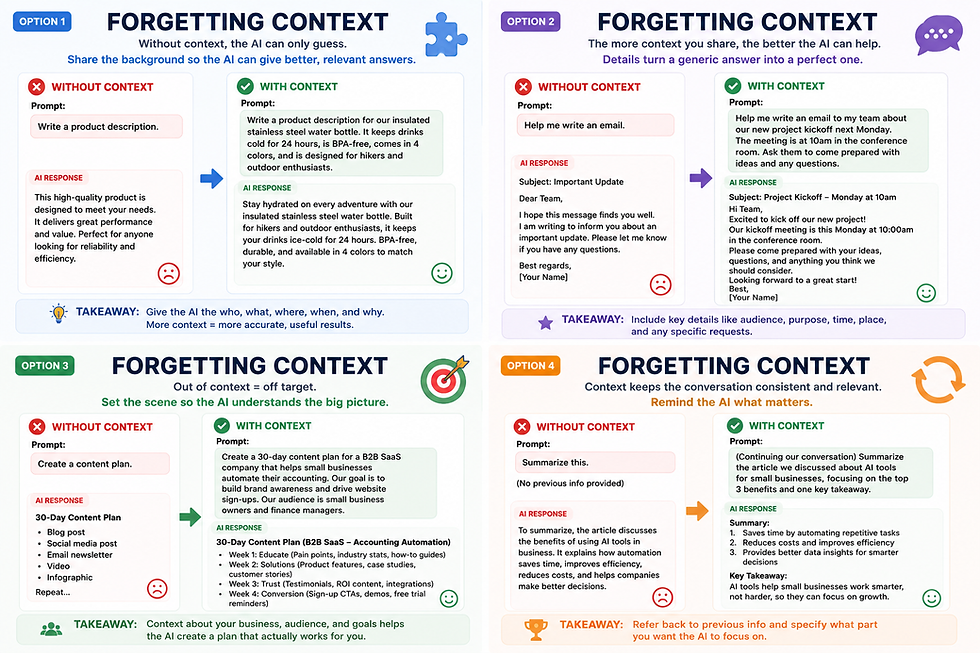
Why it happens: You know your own situation so well that you forget the AI doesn't. It only knows what's in the conversation.
Bad example: "Is this a good idea?"
Better example: "I run a small bakery and I'm thinking about adding a subscription box for regular customers. Is this a good idea, and what should I consider before launching it?"
3. Asking Multiple Questions at Once

Why it happens: It feels efficient to bundle everything into one message, but AI tools often answer only part of a crowded question, or blend the answers together confusingly.
Bad example: "What's the capital of France, how do I improve my resume, and can you also plan my weekend?"
Better example: Ask one thing at a time, or clearly number separate questions if they're related: "I have three separate questions. 1)... 2)... 3)..."
4. Not Specifying the Desired Format
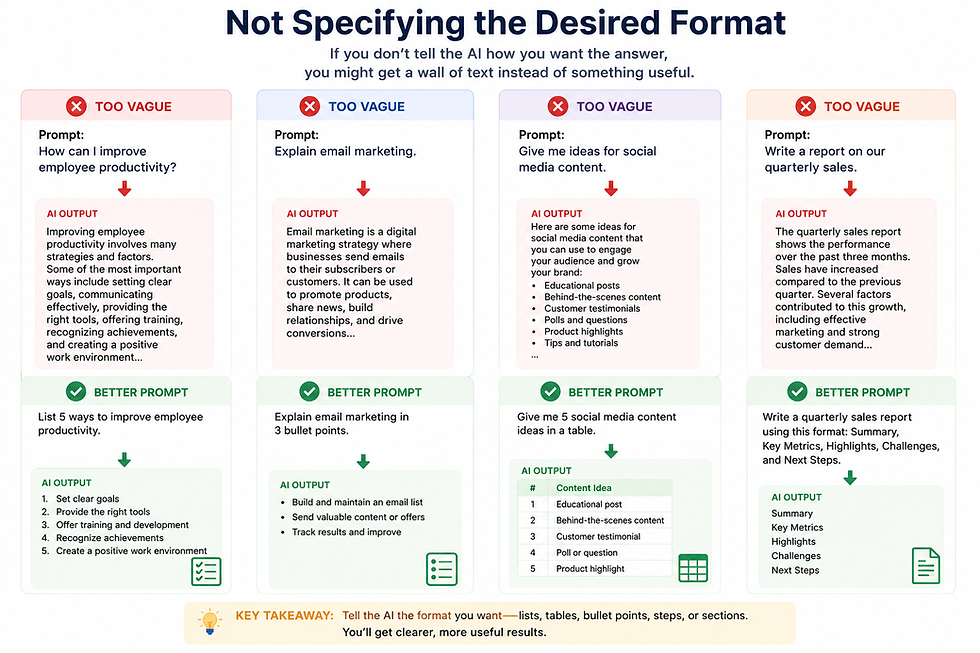
Why it happens: You have a format in mind, but you assume it's obvious from context. It usually isn't.
Bad example: "Give me ideas for a team offsite."
Better example: "Give me 5 ideas for a team offsite as a numbered list, with a one-sentence description under each idea."
5. Expecting AI to Know Personal Preferences
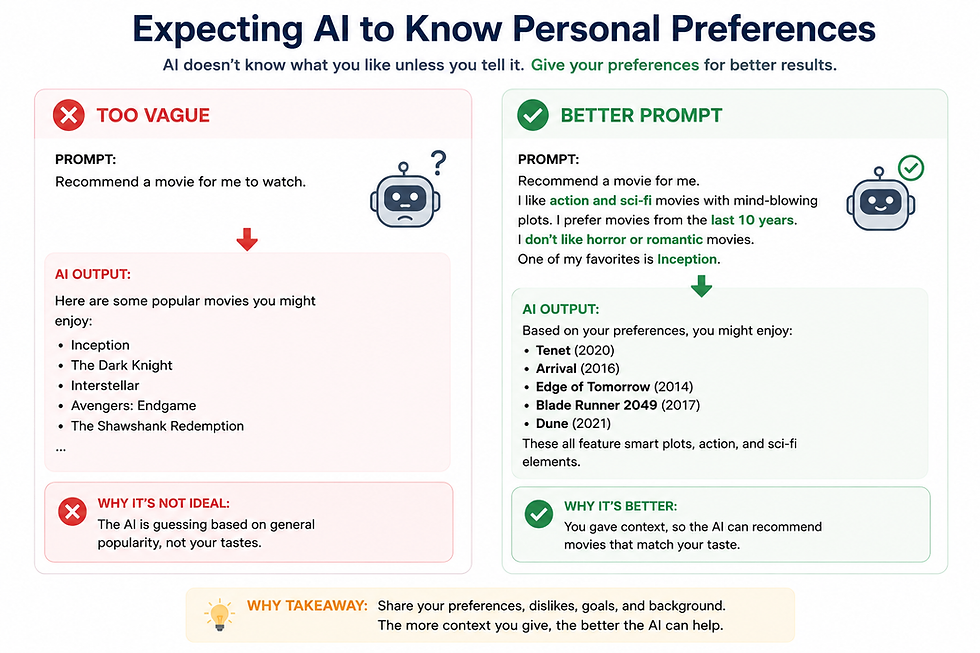
Why it happens: It's easy to forget that AI has no memory of you unless you're using a tool with memory turned on, and even then, it only knows what you've told it before.
Bad example: "Recommend a restaurant for tonight."
Better example: "Recommend a type of restaurant for a date night. I like cozy, quiet places, mid-range pricing, and I don't eat seafood."
6. Never Asking AI to Revise Its Answer
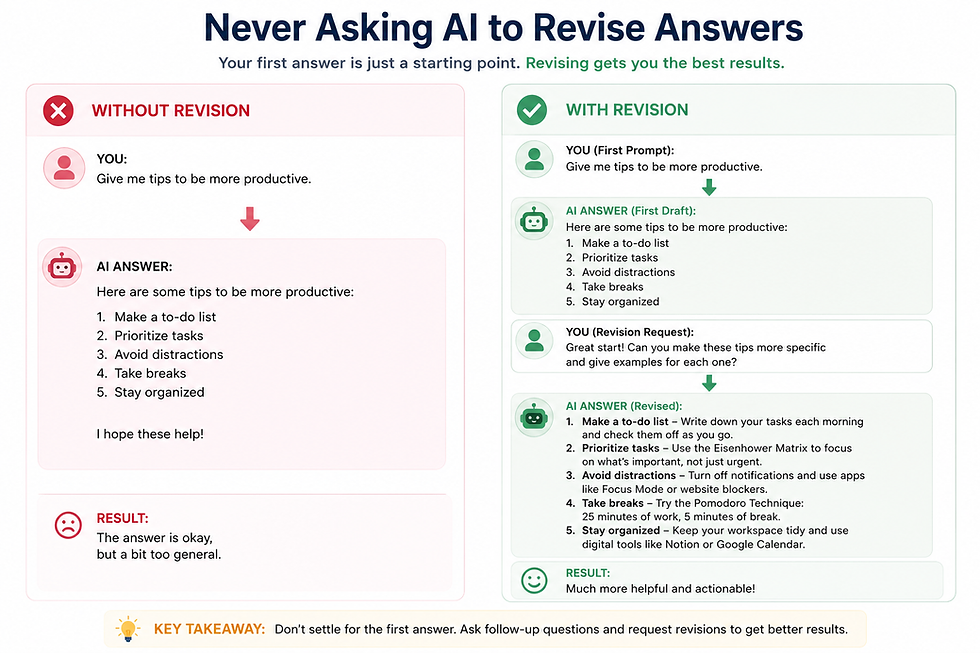
Why it happens: Beginners often treat the first response as final, the same way you might treat a Google search result.
Bad example: Accepting a stiff, overly formal email draft as-is.
Better example: "This is too formal. Can you make it sound more casual, like I'm talking to a friend?"
7. Accepting the First Response Without Refining It
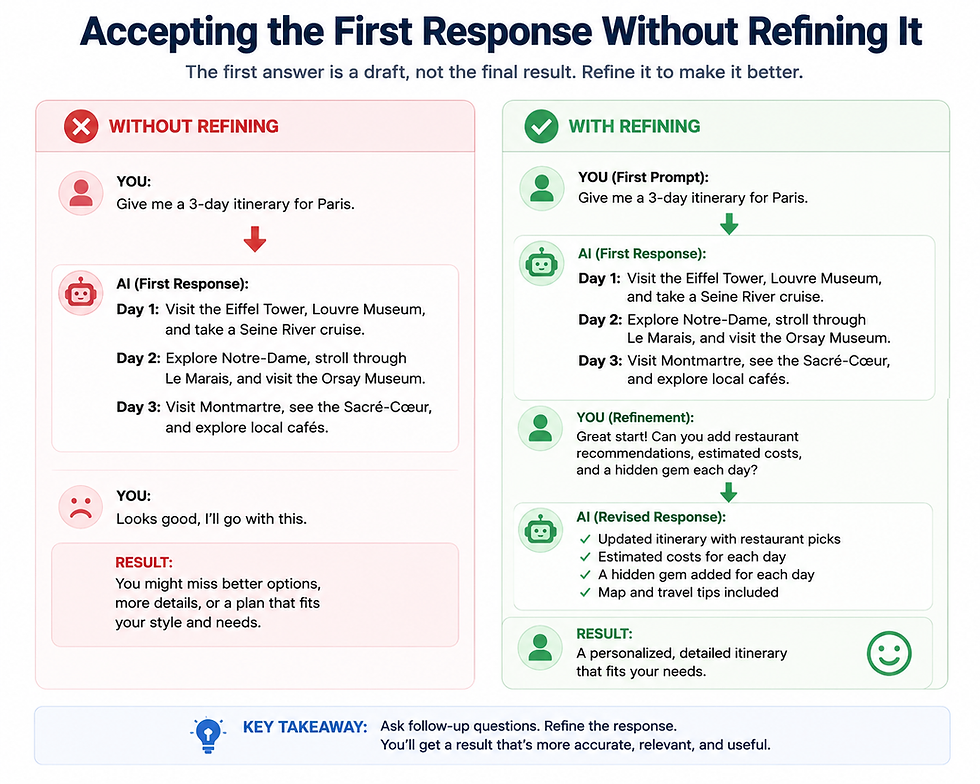
Why it happens: Similar to mistake 6, but this applies even when the first answer isn't wrong, just not quite right yet.
Bad example: Using a decent-but-generic blog intro as your final draft.
Better example: "This is a good start. Can you make the opening line more attention-grabbing, and cut the second paragraph in half?"
8. Giving Conflicting Instructions
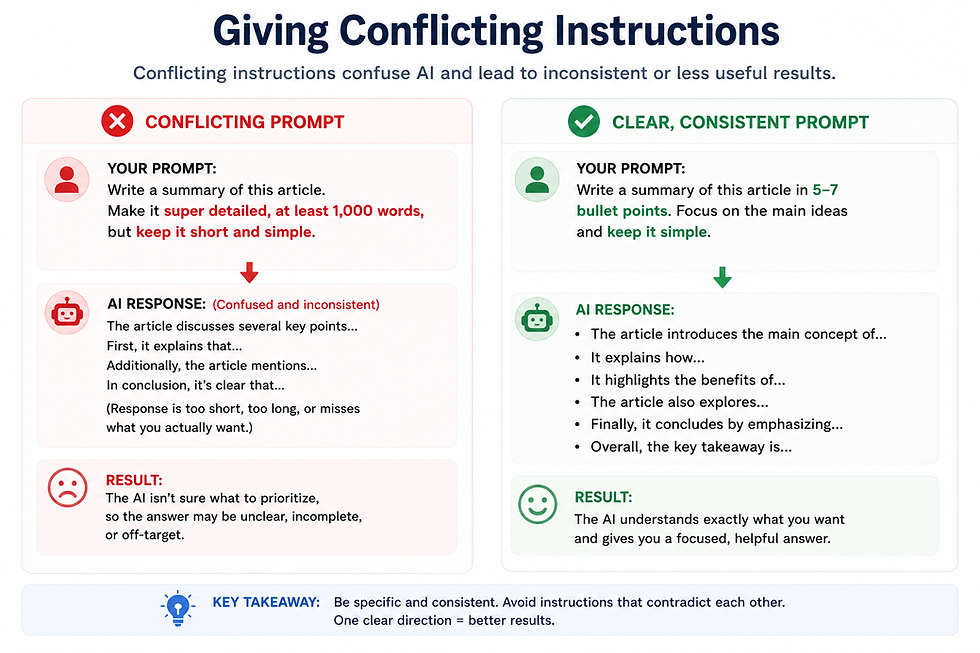
Why it happens: It's easy to accidentally contradict yourself, especially in longer prompts.
Bad example: "Make it very short but cover everything in detail."
Better example: "Keep it under 100 words, and focus only on the three most important points."
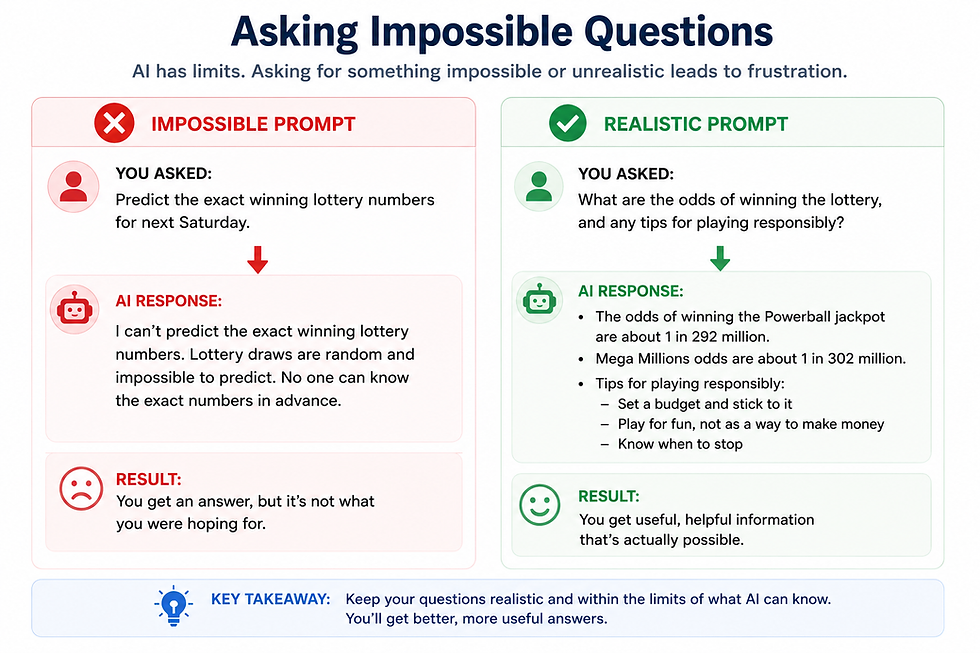
9. Asking Impossible Questions
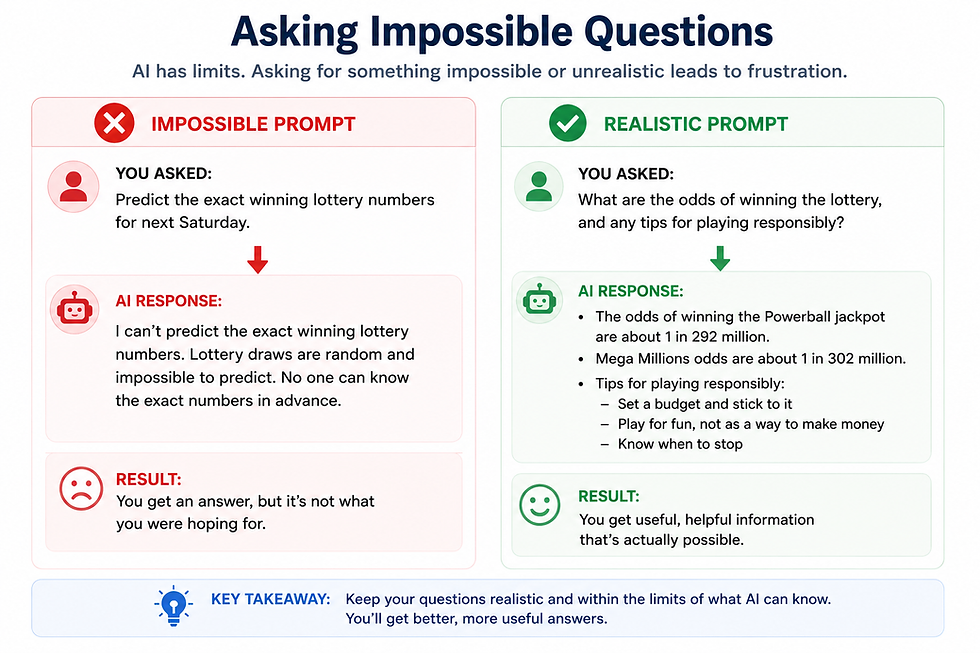
Why it happens: People sometimes assume AI has real-time knowledge, personal opinions with certainty, or access to information it simply doesn't have.
Bad example: "What will the stock market do tomorrow?"
Better example: "What are some general factors that tend to influence short-term stock market movement?"
10. Not Verifying Factual Information
Why it happens: AI responses sound confident even when they're wrong, which makes it easy to trust them without double-checking.
Bad example: Copying a statistic from an AI response straight into a work report without checking it.
Better example: "Give me this statistic, and also tell me how confident you are in it and where this type of data usually comes from, so I know what to verify."
Prompt Templates You Can Copy
Copy, paste, and fill in the brackets with your own details.
Writing Emails
"Write a [tone] email to [recipient] about [topic]. Keep it under [word count] words and include [specific detail]."
Brainstorming Ideas
"Give me [number] ideas for [goal]. Include a mix of practical and creative options, and briefly explain each one in one sentence."
Creating Presentations
"Create a [number]-slide outline for a presentation about [topic]. Include a title and 2-3 bullet points for each slide."
Learning New Skills
"Explain [skill/topic] to a complete beginner. Break it into simple steps and use one real-world example for each step."
Planning Trips
"Plan a [number]-day trip to [destination] for [number] people who enjoy [interests]. Include a rough daily schedule and note anything that needs advance booking."
Studying
"Turn this text into [number] flashcard-style questions and answers I can use to quiz myself: [paste notes]."
Writing Reports
"Turn these notes into a short, professional report with an introduction, [number] sections, and a conclusion: [paste notes]. Keep the tone neutral and factual."
Summarizing Documents
"Summarize this document into [number] bullet points, focused on the key takeaways a busy manager would need to know: [paste text]."
Social Media Posts
"Write a [platform] post about [topic]. Tone should be [tone]. Keep it under [character/word count] and include a simple call to action."
Business Ideas
"Suggest [number] small business ideas for someone with a background in [skill/industry] and a budget of [amount]. Briefly explain the pros and cons of each."
Meeting Notes
"Summarize this meeting transcript into three sections: Key Decisions, Action Items, and Open Questions: [paste transcript]."
Resume Improvements
"Rewrite this resume bullet point to sound more results-focused and specific: [paste bullet point]."
Job Interview Preparation
"I'm interviewing for a [job title] role at a [industry] company. Give me 5 likely interview questions and a short tip for answering each one well."
Advanced Prompting Tips
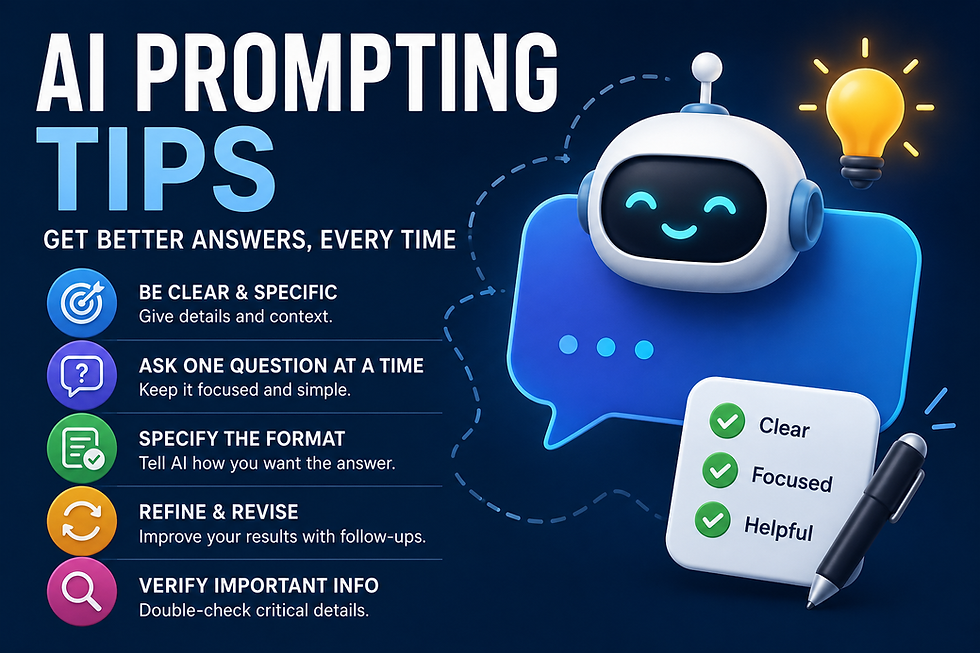
These techniques take a bit more practice but can noticeably improve your results once you get comfortable with the basics above.
Assign AI a Role
Telling the AI to "act as" a specific type of expert can shape the tone and depth of its answer.
Example: "Act as a career coach and review my resume summary."
Ask AI to Think Step-by-Step
For anything involving logic, math, or multi-part reasoning, asking the AI to work through it step-by-step tends to produce more accurate results.
Example: "Walk through this budget calculation step-by-step before giving me the final total."
Request Multiple Options
Instead of asking for one answer, ask for a few, so you can pick and mix.
Example: "Give me three different versions of this email — one formal, one casual, and one somewhere in between."
Ask Follow-Up Questions
Treat the first response as a conversation starter, not a final answer.
Example: "Can you shorten this by half without losing the main point?"
Improve Previous Answers
You can always go back and refine, even several messages later.
Example: "Earlier you gave me a trip itinerary. Can you adjust Day 2 to include more downtime?"
Provide Examples
If you have a sample of writing, data, or a format you like, share it. AI is very good at matching a style once it has something to reference.
Example: "Here's a paragraph in the tone I want. Write a new one about a different topic in the same style: [paste example]."
Prompt Examples for Popular AI Tools
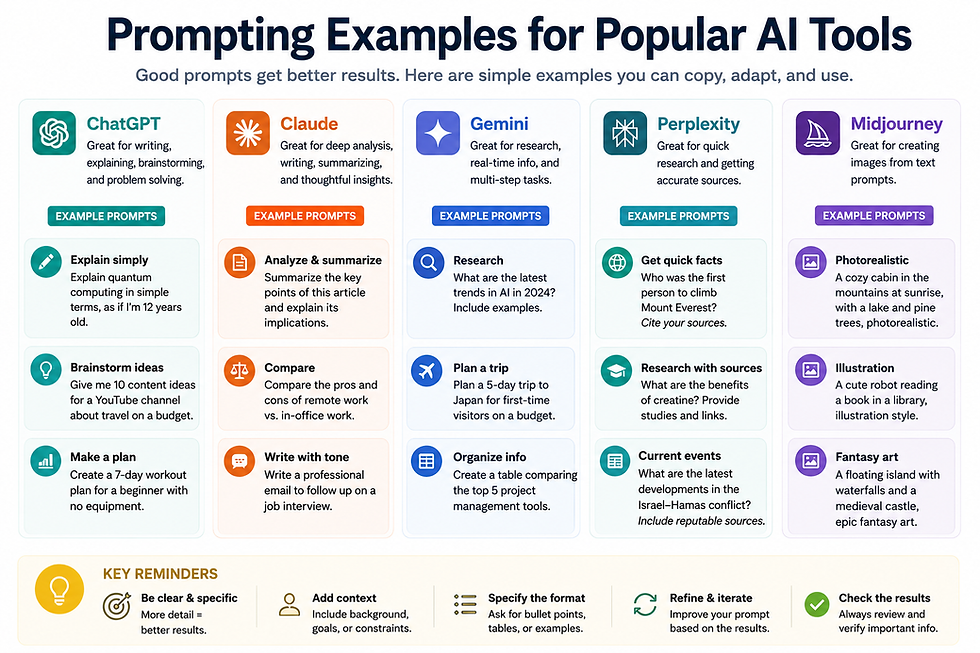
ChatGPT, Claude, Gemini, and Copilot all understand plain-English prompts the same basic way, so most of the templates in this guide work across all four. That said, each has slightly different strengths worth knowing about.
ChatGPT tends to be a strong all-rounder for writing, brainstorming, and general tasks, with a widely used free tier.
Claude (made by Anthropic) is often praised for longer, more nuanced writing and handling long documents well.
Gemini integrates directly into Google tools like Gmail and Docs, which is handy if you're already in that ecosystem.
Copilot is built into Microsoft products like Word, Excel, and Outlook, making it convenient for anyone working primarily in Microsoft 365.
The prompt-writing skills in this guide transfer across all of them. A well-written prompt is a well-written prompt, regardless of which tool you paste it into.
Frequently Asked Questions

Q. Do I need special software to write good prompts?
A. No. Prompt writing is just plain-English communication. You don't need any special tool, app, or plugin to get better at it.
Q. Why does the AI sometimes ignore part of my prompt?
A. Very long or crowded prompts with multiple unrelated requests can cause the AI to focus on some parts and miss others. Keeping requests focused and clearly organized helps.
Q. Is it okay to be really specific, or will that confuse the AI?
A. Specific is almost always better. AI tools rarely get confused by too much detail — they're far more likely to struggle with too little.
Q. Can I ask AI to fix its own answer?
A. Yes, and you should. Treating the first response as a rough draft rather than a final answer is one of the biggest habits that separates beginners from confident users.
Q. Do I need to say "please" and "thank you" in prompts?
A. No, it's not required for the AI to understand you, though plenty of people do it out of habit and there's no harm in it either way.
Q. Why did I get a different answer when I asked the same question twice?
A. AI responses aren't always identical each time, even with the same prompt, because these tools generate responses with some built-in variation. This is normal.
Q. Can AI read my mind about what I actually want?
A. No. AI can only work with what you tell it. This is exactly why context, tone, and format matter so much in a prompt.
Q. Is there a "perfect" prompt formula for everything?
A. Not exactly. Different tasks need different levels of detail. The templates in this guide are strong starting points, but expect to adjust them for your specific situation.
Q. Should I trust everything AI tells me?
A. No. Always verify facts, statistics, and anything important with a reliable source, especially for work, health, legal, or financial topics.
Q. What's the fastest way to get better at prompting?
A. Practice with real tasks you already need to do, and get in the habit of refining your first response instead of accepting it as-is.
Conclusion

Writing a good AI prompt isn't about finding a secret trick. It's about communicating clearly — giving the AI a goal, some context, and a sense of the format and tone you want, the same way you would if you were briefing a new coworker.
You won't get it perfect on the first try, and that's completely fine. The best approach is to write a prompt, look at what comes back, and refine it. Every adjustment you make teaches you a little more about how to ask better next time.
Start with one of the templates above on a real task you already need to do today. That's the fastest way to build the skill.
Comments